10 Halloween Party Invitation Video Ideas (With Prompts)
Explore 10 Halloween party invitation video ideas with complete prompts, event details to verify, delivery guidance and audience-appropriate styles.
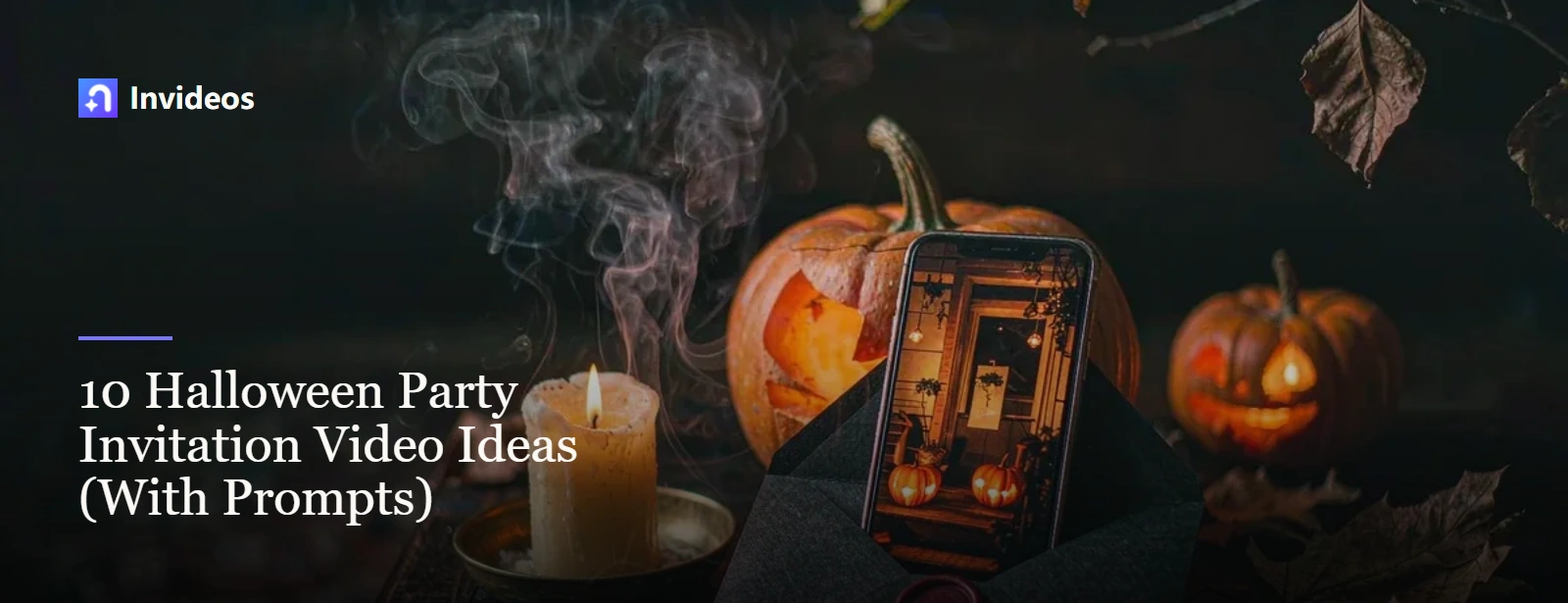
Before guests check the date, a Halloween invitation can give them a glimpse of the evening: a welcoming porch, a mysterious letter or a character arriving with a message. The challenge is keeping that first impression engaging without making the practical details harder to find. Packing everything into a moving flyer rarely leaves either job enough room.
Use the ten concepts below to choose an opening that suits your guests, then finish with a separate, readable event card. Each idea comes with a complete visual prompt and a suggested invitation line or finishing sequence. Replace any bracketed event details yourself, and typeset names, dates, addresses, admission prices and RSVP instructions in your editor rather than asking generated scenery to carry accurate lettering.
Halloween invitation ideas at a glance
| Concept | Tone | Opening moment | Best for |
|---|---|---|---|
| Pumpkin doorstep invitation | Cozy welcome | Pumpkins light a path to the door | At-home celebrations |
| Haunted envelope with a wax seal | Understated mystery | A sealed letter unfolds around a card | Grown-up dinners and masquerades |
| Friendly ghost delivery | Lighthearted charm | A small ghost brings the envelope | Parties for families |
| Costume closet reveal | Dress-up anticipation | Costume shadows introduce the wardrobe | Costume-led gatherings |
| Witch's recipe card | Storybook whimsy | Floating craft ingredients frame a card | Shared meals and hands-on sessions |
| Abandoned cinema screening invitation | Gentle suspense | A projector illuminates an empty screen | Halloween movie evenings |
| Retro monster broadcast | Offbeat humor | A monster host takes over the TV | Theme nights and team socials |
| Moonlit route to the party | A sense of discovery | A verified route lights up in stages | Outdoor meetups and trail events |
| Pumpkin craft-table assembly | Tactile and cheerful | Paper pieces gather around the invitation | School and studio workshops |
| Minimal shadow invitation | Quiet sophistication | Moving silhouettes frame a still card | Venue launches and branded evenings |
1. Pumpkin doorstep invitation
This is the warm, instantly recognisable option for a home party, neighbourhood gathering or family event. The video opens on a real-feeling porch, uses the pumpkins to guide attention to the door, then turns the hanging card into the invitation screen. It works because guests understand the setting before they read the details, and the final frame already has a natural place for the date, address and RSVP.
Vertical invitation background. A welcoming front porch at autumn dusk; three carved pumpkins ignite one after another; dried leaves drift; warm lantern light; slow push toward a blank dark-green card hanging on the door. Friendly and polished, stable architecture, clear central text area, no generated words, no people, no jump scare.Finish the sequence: show the pumpkins lighting up, move toward the door, then cut to a still card. Add “You’re invited to our Pumpkin Porch Party” above the date, time and address; end with “RSVP to the host by [deadline].” Keep the details screen still rather than asking guests to read a card while the camera approaches it.
2. Haunted envelope with a wax seal
This is the elegant choice for an adult dinner, masquerade or premium venue event. The seal cracking and the envelope opening provide a complete beginning, middle and reveal, while the cream card gives the final details a controlled surface. Choose it when the invitation should feel like a private letter rather than a party flyer.
Black envelope on a dark wooden desk beside one candle and a small dried-flower arrangement. A burgundy wax seal opens by itself and the envelope unfolds to reveal a blank cream card. Overhead three-quarter camera, restrained candle flicker, elegant gothic styling, burgundy, black and warm ivory palette, no hands, no lettering, no occult symbols.Invitation line: “An evening behind the mask.” Follow the envelope reveal with the dinner time, venue, dress code and RSVP deadline. If the opening motion distorts the card, cut from the envelope to a separately designed still instead of placing text on moving paper.
3. Friendly ghost delivery
This is the playful choice for a family event, school party or younger audience. A small original ghost gives the invitation a simple character-led story, and the slow delivery makes the card easy to follow. Keep the movement gentle so the visual charm does not compete with the event details.
Small original sheet ghost floats through a decorated garden carrying a closed orange envelope in both hands. It reaches a pumpkin mailbox, posts the envelope, waves and exits upward. Storybook 3D style, soft moonlight, rounded friendly shapes, slow readable motion, end on a stable mailbox shot for a later cut to an information card, no logos, no frightening expression.Invitation line: “A little ghost has a party invitation for you!” Let the ghost deliver the envelope, then cut to a full-screen card with the age range, activity time and guardian arrangements. Use gentle sound effects, not a sudden scream.
4. Costume closet reveal
This is the clearest choice for a costume party. The silhouettes preview the kind of outfits guests can expect, and the wardrobe opening turns the dress code into the story rather than burying it in small print. Use the final panel for the required costume level, arrival time and RSVP.
Closed vintage wardrobe in a softly lit room. Shadows of three original costume silhouettes cross the doors: a celestial explorer, a garden creature, an elegant bat-inspired cape. The wardrobe opens onto a clean empty panel framed by fabric and warm lights. Fixed camera, theatrical but family-safe, no recognizable characters, no masks covering vision, no text.Invitation line: “Open the closet. Choose your costume. Join the party.” State whether costumes are required or optional and whether there is a contest. Show one outfit theme at a time so the reveal stays readable.
5. Witch's recipe card
This is the whimsical choice for a dinner, cooking class, craft session or themed workshop. The ingredients can represent the parts of the event, while the finished recipe card becomes a practical information panel. It gives a structured event a playful visual without pretending the generated objects contain the real details.
Cozy fantasy kitchen with a copper bowl on a worktable. Paper leaves, a miniature pumpkin, a ribbon and a silver star drift into place around a blank recipe card. Warm amber and deep teal lighting, slow overhead camera move, handcrafted whimsical style, no readable jar labels, no generated writing, no protected character design.Invitation line: “Tonight’s recipe: good food, strange costumes and great company.” For a cooking event, use the card to state the menu theme, booking deadline and what guests should bring. Keep the floating props at the edges so they do not cover the text.
6. Abandoned cinema screening invitation
This is the strongest fit for a screening night or film-themed event. The empty cinema establishes the mood immediately, and the projector creates a believable screen for the film title, age rating, venue and RSVP details. Choose it when the event itself is built around what guests will watch.
Empty vintage cinema with dusty red seats. The projector starts by itself, casting a bright blank rectangle onto the screen while one aisle light switches on toward the viewer. Slow forward dolly, visible dust in the beam, cinematic suspense without threat, no person or creature, no words on screen.Invitation line: “One screen. One spooky night. Your seat is waiting.” Hold the projector shot, then overlay the film title, age guidance, doors-open time and RSVP. For a home screening, replace the cinema with a living-room projector setup so the invitation matches the actual venue.
7. Retro monster broadcast
This is the comic option for a themed party or office social. The TV interruption creates a clear announcement moment, and the original host adds personality without relying on a recognisable character. Keep the exact date, venue and RSVP on the final card so the concept still works on mute.
1980s-inspired living room at night with an old television centred in frame. The screen flickers from static to an original friendly fuzzy monster host in a bow tie, who points toward an empty title card beside them. Playful analogue scan lines, purple and orange set lighting, locked camera, comic rather than scary, no brand logos, no generated text.Invitation line: “We interrupt this broadcast to invite you to Monster Night.” Keep the host’s gesture simple, then cut away from the small TV to a full-screen details card. Do not put the address inside the television frame if it becomes too small to read.
8. Moonlit route to the party
This is the practical option for an outdoor event, trail walk or venue that is hard to find. The route is the point of the video, not decoration: animate only an approved path, then show the exact address and arrival instructions separately. It helps guests understand the journey without pretending to be navigation.
Illustrated moonlit neighbourhood map built only from the supplied approved route reference. A warm orange line travels from a clearly marked public starting point toward a blank event marker while small paper bats stay at the outer edges. Gentle parallax, legible route hierarchy, no invented streets, no generated labels, clear space for exact directions added later.Invitation line: “Follow the lanterns to our Halloween gathering.” Keep the approved route labels fixed in the edit; animate only the route highlight. Add the actual address, meeting point and a separate directions link in the message. Without a verified reference, use a decorative woodland path instead and do not present it as a map.
9. Pumpkin craft-table assembly
This is the informative, family-friendly option for a school, library, studio or community craft event. The materials assembling on the table preview the activity itself, so parents can understand what children will do before they read the registration details. Use the final card for age guidance, guardian requirements and materials.
Overhead stop-motion craft table. Orange paper, felt leaves, child-safe scissors set aside, a glue stick and a small cardboard pumpkin move in deliberate steps to frame a blank black card. Warm workshop lighting, tactile paper texture, cheerful family-friendly pacing, no hands, no text, no unsafe tool use.Invitation line: “Make a pumpkin. Make a mess. Make a Halloween memory.” Show the paper shapes assembling, stop the movement, then reveal the session time, age range, materials provided and registration deadline. Keep scissors and glue outside the text area.
For the cut-out shapes in this concept, plan them first as stills and then animate — generate the paper elements with a text-to-image pass, then bring the assembled frame to life with an image-to-video attempt and check whether the stepped movement and card space survive. If not, animate the cut-outs in your editor.
10. Minimal shadow invitation
This is the restrained option for a brand, restaurant, venue or host that wants Halloween atmosphere without novelty graphics. Light, shadow and one seasonal cue do the work, leaving room for a logo and precise event copy. Choose it when the invitation must feel polished enough to match the rest of the event branding.
Minimal black wall with a narrow warm spotlight on an empty cream card mounted at centre. Slow shadows of bare branches and one small bat-shaped paper decoration pass across the edges without covering the card. Premium restrained composition, matte textures, black, cream and muted amber palette, no text, no skulls, no gore.Invitation line: “After dark, you’re invited.” Keep the event name, date and booking action stationary while shadows move only around the edges. Use this for a restaurant dinner or venue event where the brand identity matters more than a character-led story.
Put the experience before the event details
Let the first shot suggest the kind of gathering you are hosting: cozy, theatrical, mischievous or quietly eerie. Once that mood is clear, switch to a calm information screen that identifies the date, venue, intended guests and next step. Keep the essential facts together instead of scattering them across quick cuts. A still background, readable contrast and an unhurried hold matter more here than another visual effect.
Thin out the music beneath the details card so an announcement or voiceover stays easy to follow. When choosing an existing track, check permission for both the underlying composition and the specific sound recording; those are distinct rights, as the U.S. Copyright Office musician guidance explains. A track being available online does not itself establish permission to use either.
To develop the opening from a written brief, generate the invitation video from a prompt, then review that first clip as a draft of the sequence, not a send-ready invitation. Starting with a designed card? Animate the supplied still and check that the artwork survives the motion; add the final factual text separately if it shifts or distorts.
Event information to verify before delivery
Read the invitation against the host’s approved event notes, field by field. Check the event name; calendar date and matching weekday; start and finish times; and the time zone if people will join online. Confirm the full venue address, entrance or access instructions, ticket price or free-admission wording, intended audience and age guidance. Check costume expectations, accessibility arrangements, the contact method, RSVP destination, reply deadline and any capacity limits as well.
Treat that copy as a verified record rather than material for the generator to improvise. Open each link and test every QR code from a phone, including the final RSVP destination. If a detail is still undecided, resolve it with the host before sending rather than filling the gap with plausible wording.
Build the sequence in five passes: choose the opening action, establish the atmosphere, add the information card, set the sound bed and finish with a clear RSVP action. Keep names, dates and addresses in the edit so spelling, display time, contrast and line breaks stay under your control.

Create AI videos with Invideos
Bring your ideas to life with AI video.
Start with a simple prompt.

Invitation delivery
Preview the exported file on an actual phone before sending it. Watch once with sound and again muted: the event and RSVP action should still make sense without audio. Read the full information card at normal playback speed without pausing. If you cannot finish comfortably, reduce the copy or extend the hold; check that message-app compression has not made the smallest text blurry.
Send the video with a plain-text message that repeats the date, time, address or access instructions, RSVP link and response deadline. Recipients should not have to scrub the clip to find where to go. For a private gathering, share the full address only with intended guests through a private message or restricted group. Keep private home addresses out of publicly shared videos and captions; provide the location privately after an RSVP instead.
Add captions for spoken details and consider descriptions where meaningful visual information would otherwise be missed, using the W3C’s audio and video accessibility guidance as a planning reference. Before distributing the soundtrack, confirm permission for the composition as well as the particular recording, and whether the intended sharing is covered; the U.S. Copyright Office’s musician guidance sets out the distinction. Keep a record of the permission or license alongside the export.
FAQ
What should a Halloween party invitation video include?
Give guests enough information to decide, arrive and reply: the event name, date, start time, location or joining instructions, intended audience or age range, costume expectations, RSVP method and reply deadline. Put those essentials on a readable card and repeat them in the accompanying message.
Should the AI generate the invitation text inside the video?
Let the generator build the setting and movement, then typeset the real event copy in your editor. This gives you a reliable way to correct names and dates, choose line breaks and contrast, and control how long each detail remains visible. Check the exported lettering, not just the editing preview.
How long should a Halloween invitation video be?
Trim the sequence to one clear opening and a details card that guests can actually read. A 10–20-second first edit, with at least four seconds reserved for the card, is a useful starting point rather than a fixed rule. Play it on a phone at normal speed and lengthen that hold whenever the amount of text calls for it.
Can I make a Halloween invitation suitable for children?
Yes—choose pumpkins, paper crafts, approachable original characters and gentle costume reveals instead of threatening imagery or abrupt scares. Match the sound as carefully as the visuals, and state the intended age range. For a family or school event, include any guardian requirements so adults know what to expect.
Turn the party idea into an invitation sequence
Pick the concept that best previews your actual gathering, then give it one simple opening action. Follow that moment with a still, carefully checked event card and an unmistakable way to reply. A final phone preview and a useful accompanying message turn the visual idea into an invitation guests can act on.
Disclosure: Invideos is an AI creative workspace for image and video generation, and the feature links above point at its own product pages. This article is informational; prompts are starting points rather than guarantees, and model availability and platform rules change, so check current terms before publishing.